

Everyone who cares for your kids, on the same page.
From the first feeds to the school run: log the day in a tap, hand over to a sitter with a six-digit code and watch care happen live. Meds, routines and a summary for the doctor, all in one calm app.
Free to start. Parent Premium adds reminders, safe areas, the doctor summary and room for every child.
You are the only one who knows the whole picture. That is the problem.
The allergy. The dose. The nap that ruins bedtime. ITAV puts it where the people you choose can see it.
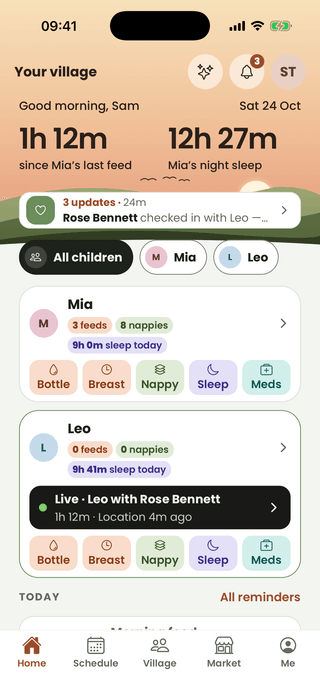
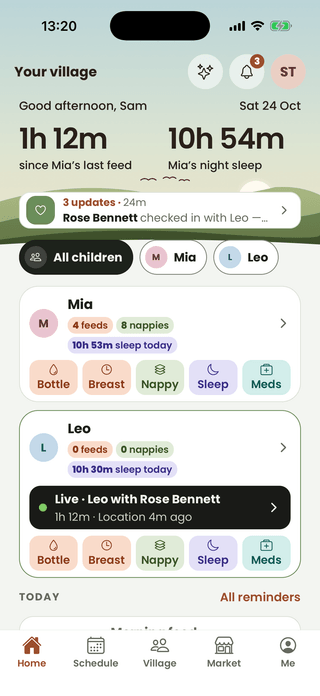
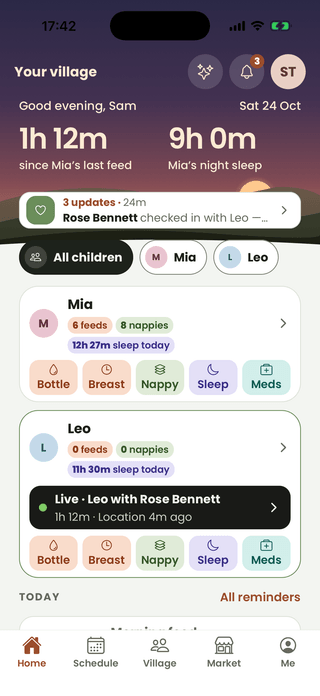
Your village, at a glance.
Open the app and each child’s day is right there: feeds, nappies and sleep so far, today’s routine, and the latest from whoever has them right now.
- One-tap logging: bottle, breast, nappy, sleep, meds.
- Today’s routine, with what’s done and what’s next.
- Check-ins from your sitter land on the same screen.
- Updates Rose checked in with Leo
- Each child Feeds, nappies, sleep today
- Quick log One tap, logged now
- Live care Leo is with Rose
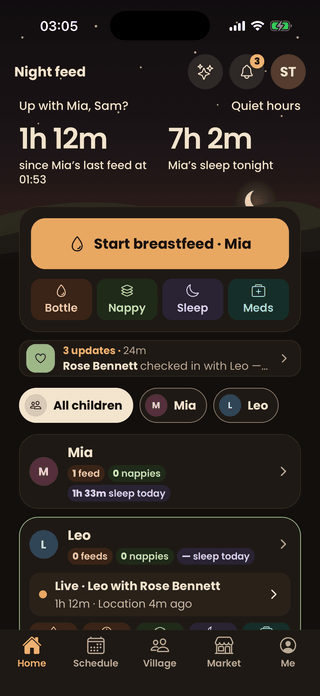
Night feeds, one hand.
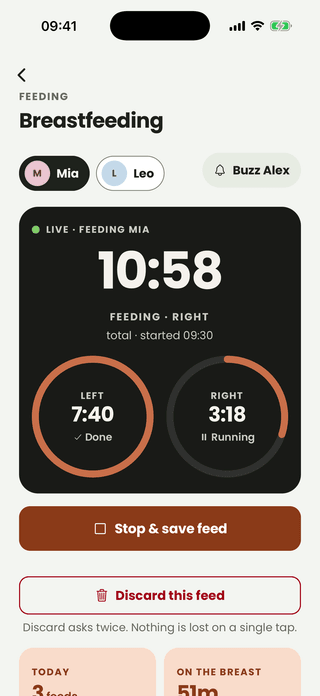
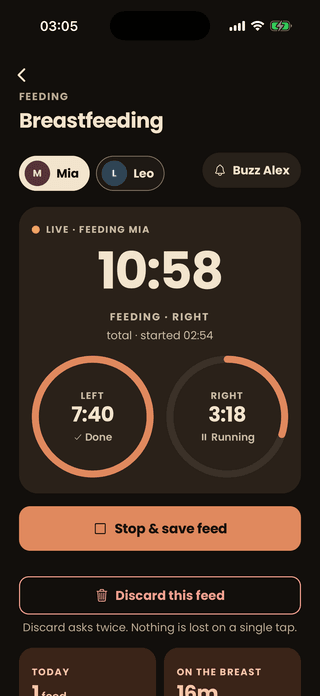
At 3 a.m. you have one free hand and no patience for a bright screen. From 9 pm to 5 am ITAV turns warm and dark by itself, and the feed timer is built for your thumb.
- Time each side with one tap. It shows which side you’re on.
- Stop and save, or discard. Discard asks twice, so a stray tap loses nothing.
- Night mode on the clock, or always, or never. Your choice.
Hand off with confidence.
One morning with a new sitter, as it looks on your phone and on hers.
-
1 Share a code 09:24
You · Parent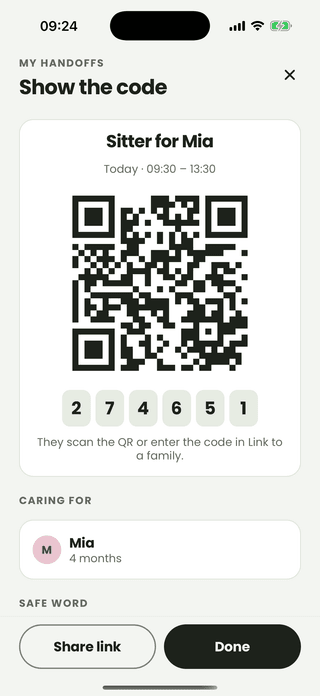
Pick the time and what to share. ITAV makes a QR code, a six-digit code and a safe word. Rose · Sitter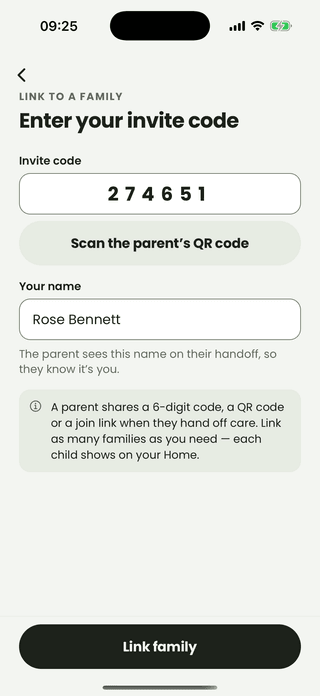
Rose opens your link and the code is already filled in. -
2 Care is live 09:45
You · Parent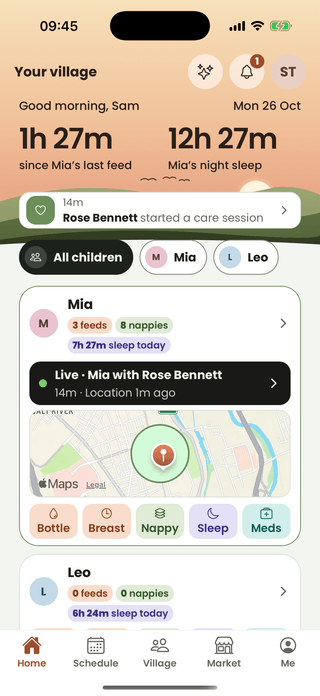
When Rose taps Start care, your Home shows her with Mia, live on a map. Rose · Sitter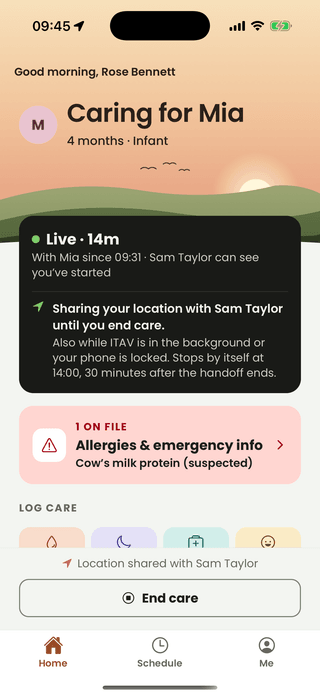
Rose sees what you shared, and exactly when her location is shared. -
3 Left the safe area 10:12 Parent Premium
You · Parent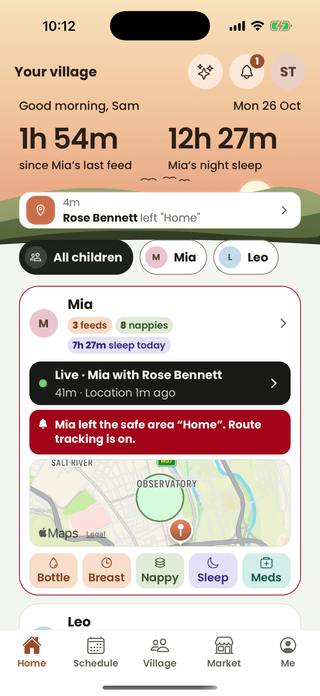
Rose walks Mia to the park, past your 300 m circle. You get one alert; the route keeps updating. Rose · Sitter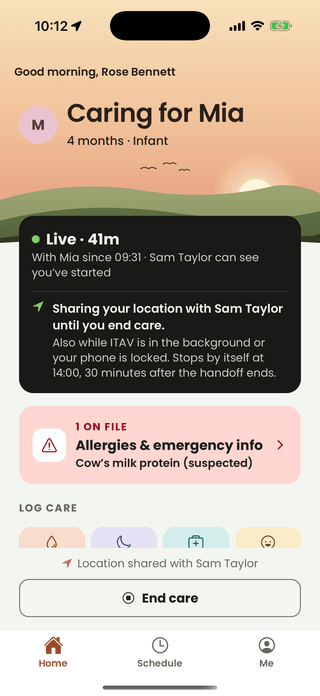
Nothing changes for Rose. Care carries on. -
4 A check-in with a photo 10:50
You · Parent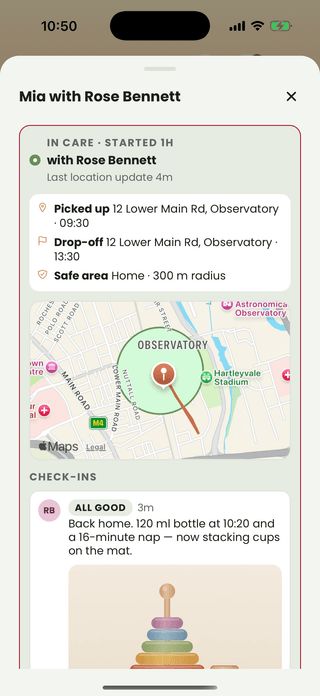
Rose's check-in arrives with a photo, next to her route and the doses she logged. Rose · Sitter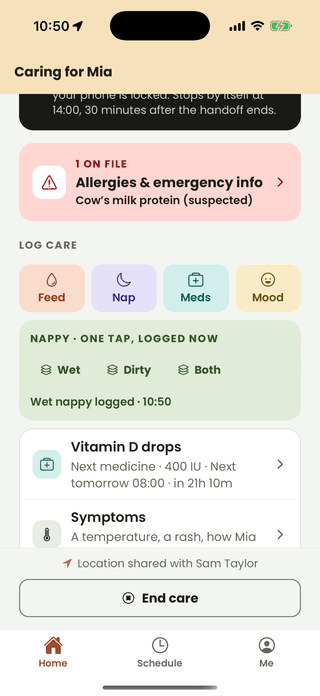
A nappy, a nap, a dose: one tap each for Rose. -
5 Care ended 13:20
You · Parent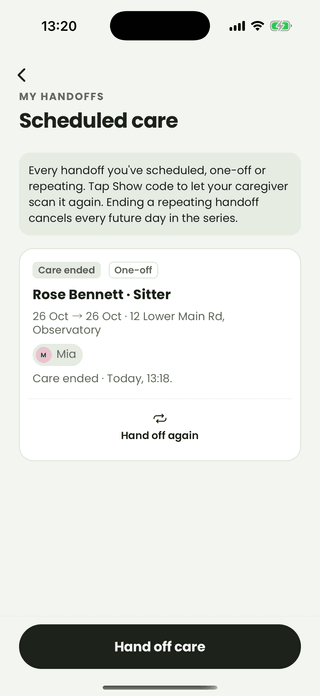
At pickup you end care. It stays on record under My handoffs. Rose · Sitter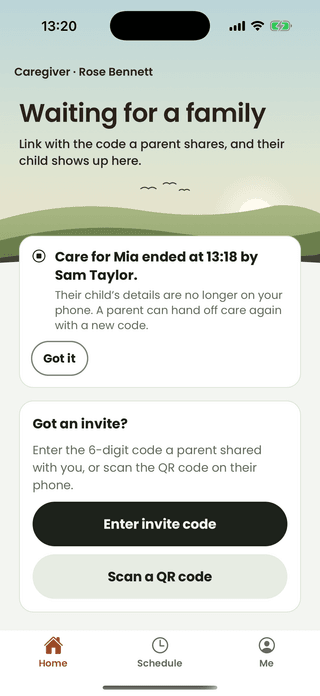
Mia's details leave Rose's phone, and her location stops being shared.
Free accounts can have 1 active handoff at a time. Parent Premium adds safe areas and repeating handoffs.
See where care takes them.
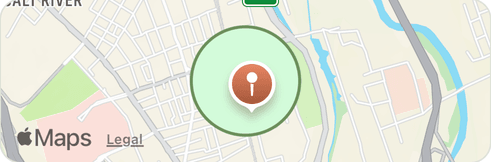
While care is live, your sitter’s location shows on Home. Draw a safe area when you hand off (home, school, the park) and if they leave it, ITAV tells you.
- Location is shared only during care, and your sitter sees exactly when.
- One alert at the first exit. The route keeps updating after it.
- Sharing stops when care ends.

Meds and routines, on time.
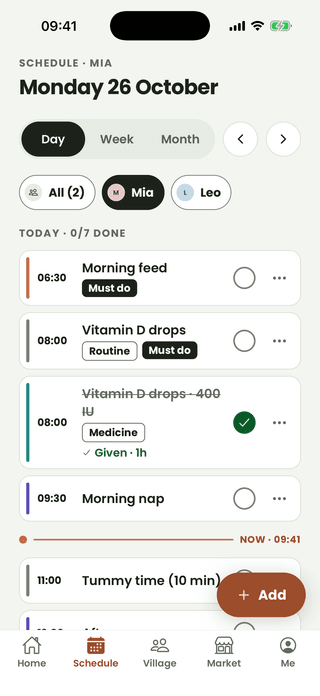
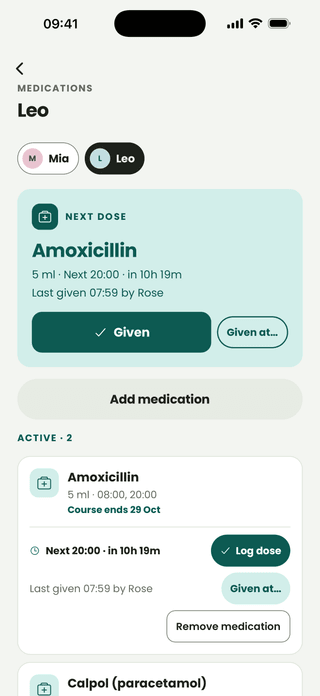
Every medicine shows its next dose and who gave the last one, so nobody doubles up and nobody misses one. The day’s routine is a list you tick off together.
- Log a dose in one tap, or record the time it was really given.
- See who gave what, and when.
- Reminders for doses and routines Parent Premium
Ask parents you trust. Pass it on.
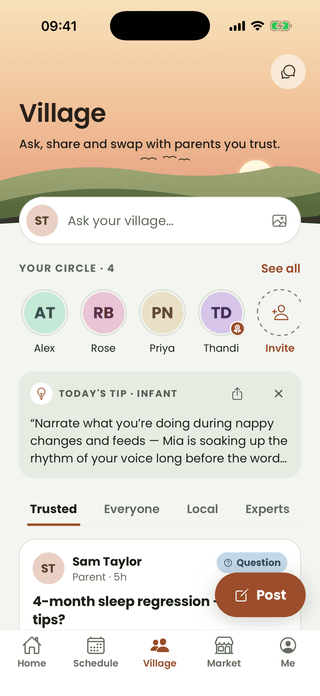
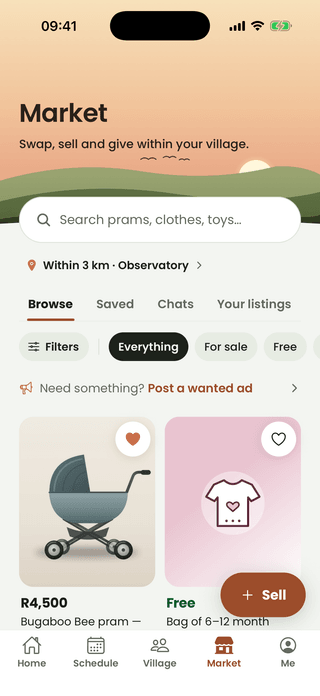
Your Village is the people you choose. Ask your trusted circle, or parents nearby. The Market is for the pram they’ve outgrown: sell it, swap it or give it away close to home.
- A trusted circle of up to 2 people free, unlimited with Parent Premium
- Listings near you, and chats about them inside the app.
- Posts newest first, never ranked for engagement.
Ready for the doctor.
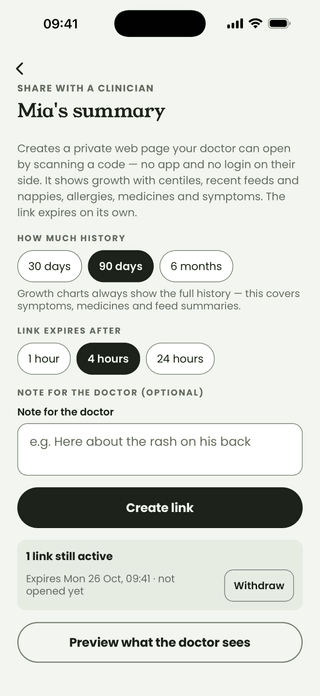
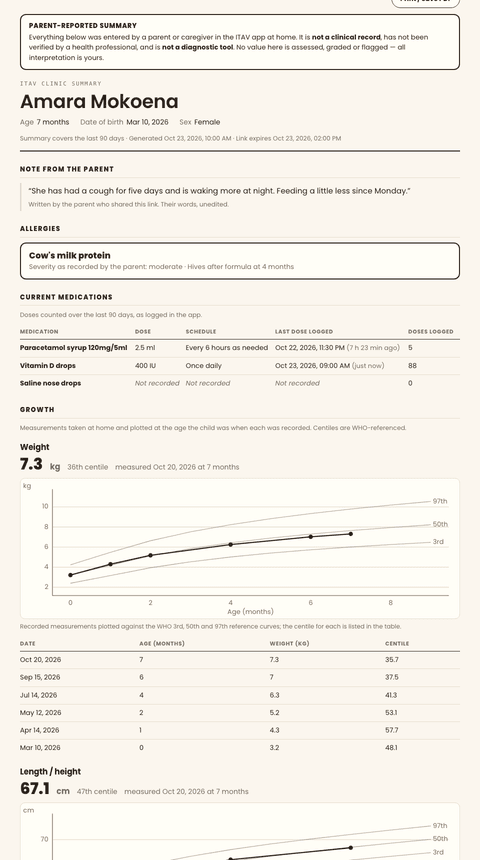
Before an appointment, make a private link with a QR code. Your doctor opens it on any phone or computer, with no app and no login, and sees what you’ve logged.
- Growth plotted against the WHO reference curves. Feeds, nappies, medicines and symptoms listed as you logged them.
- Parent-reported and labelled that way. ITAV never grades or flags anything.
- The link expires on its own after 1, 4 or 24 hours, and you can withdraw it.
We do not sell your child's data. Not now, not at any price.
No ad network, no data broker, no ranked engagement feed. You can read exactly what we store.
Start your village today.
Free to start, with 1 child, 1 active handoff and a trusted circle of 2. Parent Premium adds reminders, safe areas, the doctor summary and room for every child, and one subscription covers both parents.